

Sustainability stories often depend on details that are easy to oversimplify: material sourcing, packaging changes, recycling limits, energy use, repairability, transport, certifications, and consumer behavior. A short video draft can help an editor test the order of those ideas, but it should not turn a careful article into a glossy environmental claim.
That distinction matters. A generated scene can make a product look cleaner, a process look simpler, or a climate benefit look more certain than the evidence supports. For eco and technology publishers, the safest use of AI video is not proof. It is planning.
A good workflow starts with verified notes, eligible visual references, and a clear review standard. The draft can show whether a concept is understandable in a few scenes. The facts still need to come from source material, reporting, product documentation, certification records, and human editing.
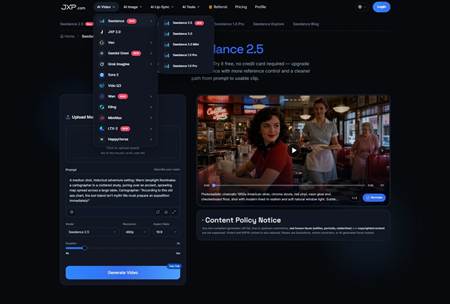
Used carefully, Seedance can help teams turn a sustainability brief into a short reviewable video concept. The current JXP Seedance page describes reference generation, text-to-video planning, multimodal references, longer clips, and local editing options. Teams should confirm current generation limits, output settings, and usage rights inside the product before beginning a commercial or sponsored project.
Start With the Environmental Claim
Before choosing visuals, the team should name the exact claim the article is allowed to make. Is the story about recycled packaging, lower energy use, repair programs, compostable materials, reduced shipping weight, or a circular-design experiment? Each topic needs a different kind of evidence.
A video brief should not ask the model to make a product look sustainable. It should explain what the article has already verified and what the draft is meant to show. For example: compare two packaging layouts, illustrate a repair pathway, show a simplified product-life-cycle sequence, or reserve space for a certification note that will be added later.
The model should not have to guess which details are factual, illustrative, or still under review. The prompt should separate confirmed information from visual mood.
Keep Data, Labels, and Certifications Editable
Environmental content often includes numbers and labels: carbon figures, energy savings, recycled-content percentages, disposal instructions, date ranges, region-specific rules, certification marks, or product-compliance language. Those details should normally be added in post-production or kept in the article text, not trusted inside generated footage.
The draft can reserve visual space for a data callout, timeline, icon, or headline. The final wording should come from verified source notes, approved product copy, public reports, certification bodies, or editorial summaries. If a claim depends on a specific methodology, location, or measurement period, that context should be visible in the final article.
Every environmental claim should identify its scope, baseline, measurement period, geography, and evidence. Editors should make clear whether a benefit applies to the product, its packaging, one component, or a specific stage of its life cycle.
This is especially important for sponsored sustainability content. A polished video can make a weak claim feel stronger. Editors should check whether the final asset might imply third-party certification, regulatory approval, or measurable environmental impact that the article does not actually support. A certification or seal does not automatically substantiate every environmental message conveyed by the video. The final asset should identify what the certification covers and avoid implying broader approval.
Use References Without Importing New Risk
Reference materials can help a sustainability draft feel concrete. A team might use original product diagrams, packaging sketches, factory process illustrations, route maps, abstract material textures, brand color cards, or a sanitized scene outline containing no confidential or identifying information.
JXP’s current Seedance workflow states that real human faces—including selfies, portraits, and celebrities—as well as copyrighted content are not supported. Teams should avoid uploading identifiable workers, customers, activists, children, private facilities, license plates, internal supply-chain documents, third-party logos, copyrighted photographs, or unpublished product files unless they are both permitted for the intended use and supported by the current workflow.
Safer planning materials include original diagrams, original icons, non-identifiable product graphics, abstract factory or nature scenes, platform-supported synthetic or illustrated characters, and simple shape-based references.
Show Process Without Hiding Trade-Offs
Sustainability stories often need a process: raw material, manufacturing, shipping, use, repair, reuse, recycling, or disposal. A video draft can test whether that sequence makes sense. It can also reveal where the story is too neat.
For example, a recycling explainer should not imply that every package is accepted everywhere. A repair story should not imply that every consumer has the tools or parts. A low-carbon delivery story should not hide distance, energy source, or packaging trade-offs. A generated draft should help editors find those gaps, not cover them with smooth motion.
Longer drafts can be useful when the article needs a full path rather than a single visual metaphor. Still, the sequence should stay focused. One short video should not pretend to answer every reader question about sourcing, emissions, disposal, and regulation.
Review for Greenwashing Signals
Before publication, editors should review the draft for greenwashing risk. Does the video rely on leaves, water, sunlight, or clean landscapes without explaining the actual environmental basis? Does it make a small packaging change look like a full sustainability transformation? Does it show untouched nature beside a product in a way that suggests a certification or benefit not stated in the article?
The review should also ask: Does the claim apply to the product, packaging, or only one component? What is the comparison baseline? Is the benefit available in every market mentioned? Does local recycling or composting infrastructure actually exist? Are trade-offs elsewhere in the life cycle being hidden? Is the qualification prominent enough to appear with the video claim?
The review should also check whether any scene could be mistaken for real footage of a facility, farm, laboratory, recycling center, or verified field project. If a visual is generated, illustrative, or materially altered, the article or caption should make that clear when needed.
A practical review using the Seedance workspace on JXP can give editors, marketers, and sustainability teams a draft to discuss before final design, filming, or publication.
Let the Draft Improve the Article
A video draft can expose weak writing. If the visual idea depends on vague language such as eco-friendly, green, clean, natural, or sustainable, the article may need sharper terms. If the draft cannot show the claim without exaggeration, the claim may need qualification.
Sometimes the best answer is not a video. A table may explain product comparisons better. A chart may handle data more honestly. A still image may be safer for a sensitive facility or community story. A footnote may matter more than motion.
That restraint is part of good environmental communication. Used with clear evidence and careful review, Seedance can support early visual planning while keeping sustainability claims, source context, and final editorial judgment in human hands.
