
In the modern digital landscape, the pressure to produce high-quality visuals is constant. Whether you are managing a blog, running a small e-commerce shop, building a personal brand on social media, or putting together a pitch deck, the “visual expectation” has never been higher. Yet, for many creators, there is a persistent gap between the vision in their head and the final image on the screen.
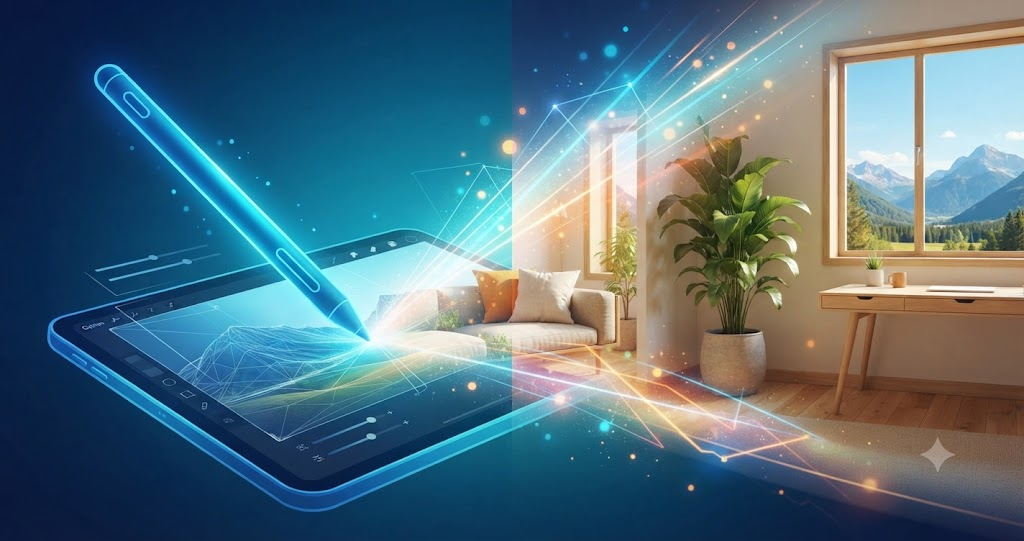
For years, bridging that gap meant investing in expensive, complex software or outsourcing work to graphic designers—both of which take time and resources many of us don’t have. However, the rise of browser-based AI tools is fundamentally changing this dynamic. Today, tools like the AI image editor on Pixlio are putting powerful, formerly high-end capabilities directly into the hands of anyone with a web browser.
The Shift Toward Workflow Efficiency
The most frustrating part of visual creation isn’t necessarily the creative spark; it’s the technical bottleneck. You have an idea for a blog header, but the stock photo you found is the wrong orientation. You have a great product shot, but the background doesn’t match your brand palette. Or, you need to combine two elements into a cohesive scene, but the perspective looks slightly “off.”
Traditionally, fixing these issues required a steep learning curve. AI platforms, specifically Pixlio, have introduced a more fluid approach. Instead of spending an hour navigating layers and masks, these tools allow creators to approach image editing as a conversation with the software. You aren’t just adjusting pixels; you are guiding the AI to understand your intent.
Practical Use Cases for the Modern Creator
To understand how these tools fit into a real-world workflow, it’s helpful to look at how they solve common problems.
1. The Challenge of Social Media Formatting
We have all been there: you capture a perfect photo, but then you realize you need a horizontal version for a website banner and a vertical version for a Story. Cropping is rarely enough. By using an AI outpainting tool, you can effectively “expand” the environment around your subject. Pixlio allows you to extend the canvas while the AI generates matching textures and lighting, making it look as though the camera simply zoomed out. This turns a single assets into a versatile suite of images, ensuring brand consistency across platforms without needing a new photoshoot.
2. Combining Visuals for Storytelling
One of the most powerful features available on platforms like Pixlio is the AI image combiner. Think about creating marketing materials for a seasonal promotion. You might have a great photo of your product, but you need it placed in a specific environment that evokes a “summer vibe.” Instead of hunting for the perfect stock photo that happens to include your specific product (which is nearly impossible), you can combine these elements. The AI helps bridge the gap between two disparate images, adjusting lighting and perspective so they appear as one unified, natural scene.
3. Rapid Creative Prototyping
For those working in marketing or product development, speed is often more valuable than perfection in the early stages. The ability to test ideas quickly is where the Pixlio AI image editor truly shines. You can drag in a rough draft, make adjustments to elements, swap backgrounds, or iterate on style—all within the browser. If a design isn’t working, you can pivot in minutes rather than starting from scratch. This “low-stakes” experimentation encourages more creativity because you aren’t afraid of the time cost of a bad idea.
Why Browser-Based AI Feels Different
There is a distinct difference between professional-grade desktop software and the new wave of browser-based AI. Professional software is designed for the specialist—someone who knows every shortcut, menu, and setting. It is incredibly powerful but equally intimidating.
Pixlio, on the other hand, focuses on accessibility. Because the processing happens in the cloud, you don’t need a high-end workstation to perform tasks that were previously computationally heavy. This democratization is vital for independent creators. When your creative tools are accessible anywhere you have an internet connection, your workspace is no longer defined by your desk; it’s defined by your schedule.
Maintaining Your Personal Style
One valid critique of AI tools is that they can sometimes lead to a “generic” look—that polished, slightly uncanny finish that tells the world, “an AI made this.” To avoid this, successful creators treat AI as a collaborator rather than a replacement.
When using Pixlio, the goal shouldn’t be to let the AI do 100% of the work. Instead, use it for the heavy lifting: the resizing, the color balancing, the canvas extension, and the background replacement. Use your own photography, your own brand assets, and your own eye for composition to provide the foundation. When you provide the human input, the AI becomes a tool for refinement rather than a substitute for your artistic intent.
Best Practices for Integrating AI into Your Workflow
If you are looking to start using these tools, here are a few ways to integrate them without disrupting your existing rhythm:
- Audit Your Assets: Look through your “discard” pile—those images that were almost perfect but had the wrong crop or a distracting background. These are your best candidates for testing AI outpainting or object removal.
- Focus on the “Big Three”: Don’t try to learn everything at once. Focus on mastering three main workflows: resizing for different social formats, cleaning up distracting backgrounds, and combining elements to create new scenes.
- Keep Your Originals: Always work on a copy. Part of the benefit of AI editing is the speed of iteration, which can lead to accidental overwriting if you aren’t careful.
- Iterate, Don’t Stop: Often, the first output from an AI isn’t the final one. Use the tools to generate several variations of an image and pick the one that feels most aligned with your brand’s voice.
The Future of Visual Creation
As we look toward the future, the boundary between “creator” and “editor” will continue to blur. The tools we have today are just the starting point. We are moving toward a time where our ability to articulate our vision is more important than our ability to physically manipulate software sliders.
Platforms like Pixlio are helping to move the industry in this direction by removing the technical barriers that once separated amateur creators from professional-looking results. Whether you are a small business owner looking to improve your product listings or a blogger wanting to elevate your site’s aesthetic, the ability to manipulate images with this level of ease is an incredible advantage.
It is worth noting that while technology handles the processing, you remain the director. The AI doesn’t know your audience, your specific brand color palette, or the emotional tone of your content. You do. By leveraging these intelligent tools, you are simply freeing up the time and mental bandwidth to focus on those essential creative choices.
In a world where visuals serve as our primary language, having the right tools is essential. Exploring the capabilities of an AI image editor allows you to stop worrying about the limitations of your images and start focusing on the stories they tell. By adopting these tools into your daily workflow, you aren’t just keeping up with the industry—you are ensuring your creative output is as dynamic and versatile as the ideas behind it.
Frequently Asked Questions
What exactly is an AI image editor?
An AI image editor is a web-based platform that uses artificial intelligence to automate complex editing tasks. Instead of relying on manual tools like brushes and lasso selections to edit pixels, you use natural language prompts or one-click commands to perform actions like background removal, object erasure, or style adjustments.
How does an AI image combiner work?
An AI image combiner uses neural networks to analyze the lighting, geometry, and texture of two or more separate images to merge them into a single, cohesive scene. It automatically handles the “heavy lifting”—such as matching shadows, color grading, and perspective—so the final result looks like a natural photograph rather than a pasted-together composite.
What is “AI outpainting” and when should I use it?
Outpainting is a technique that extends an image beyond its original borders. If you have a photo that is cropped too tightly or doesn’t fit the aspect ratio you need for a banner or social media post, the AI analyzes the existing scene and “paints” the surrounding area to match the original style, lighting, and texture. It is perfect for converting portrait shots into wide-format headers without losing your subject.
Do I need advanced design skills to use Pixlio?
No, Pixlio is designed to be accessible to everyone, from bloggers and social media managers to small business owners. The interface is built for efficiency, allowing you to use plain-language prompts to guide the AI. While professional designers can use these tools for speed, you do not need formal design training to achieve high-quality results.
Can AI-edited images be used commercially?
Yes, on platforms like Pixlio, users with paid accounts typically receive full commercial usage rights for the images they create or edit. Always check the specific platform’s terms of service to ensure you are clear on the usage rights regarding your subscription tier.
Why should I choose a browser-based tool over desktop software?
Browser-based AI tools like Pixlio remove the need for high-end hardware, software installations, and complex license management. Because the processing happens in the cloud, you can access your projects from any device with an internet connection, making it much easier to maintain a flexible, mobile-friendly creative workflow.
