



Smartphone displays feel more responsive because they react instantly to touch, track motion smoothly and present visuals with clarity that supports fast interaction. Every tap, swipe or gesture shapes how users perceive the device. A responsive display reduces friction, making everyday tasks—browsing, scrolling, typing or gaming—feel natural and intuitive. When the display follows the user’s intent without delay, the experience becomes effortless. This responsiveness affects how people engage with their phone throughout the day, influencing productivity, comfort and enjoyment. As phones evolve, emphasis on display responsiveness continues to grow, turning screens into dynamic interfaces that adapt to human movement and thought.
Why Touch Sensitivity Shapes Perceived Responsiveness
How Immediate Touch Recognition Builds Confidence
Touch recognition plays a major role in how responsive a display feels. When users tap or swipe, they expect the screen to react instantly. Immediate recognition signals that the device understands their intent, creating a sense of control. Even small delays can disrupt focus or cause repeated taps. Modern smartphones use refined touch layers and fast processing to register input within milliseconds. This speed turns everyday tasks into smooth actions. Whether typing a message or scrolling through a feed, users feel more confident because the device responds as quickly as they think.
Why Gesture Accuracy Improves Interaction
Accurate gesture detection helps the display interpret movement precisely. Whether someone performs a quick flick to scroll or a gentle drag to reorganize items, accuracy ensures the phone follows input exactly. This reduces errors and prevents users from repeating actions. Accurate gestures also strengthen multitasking because users can switch apps or open menus with effortless motions. When gestures feel intuitive, the screen becomes an extension of the hand. This consistency makes the device easier to use in different situations, from one-handed texting to fast navigation while traveling.
How Reduced Input Lag Supports Fast-Paced Tasks
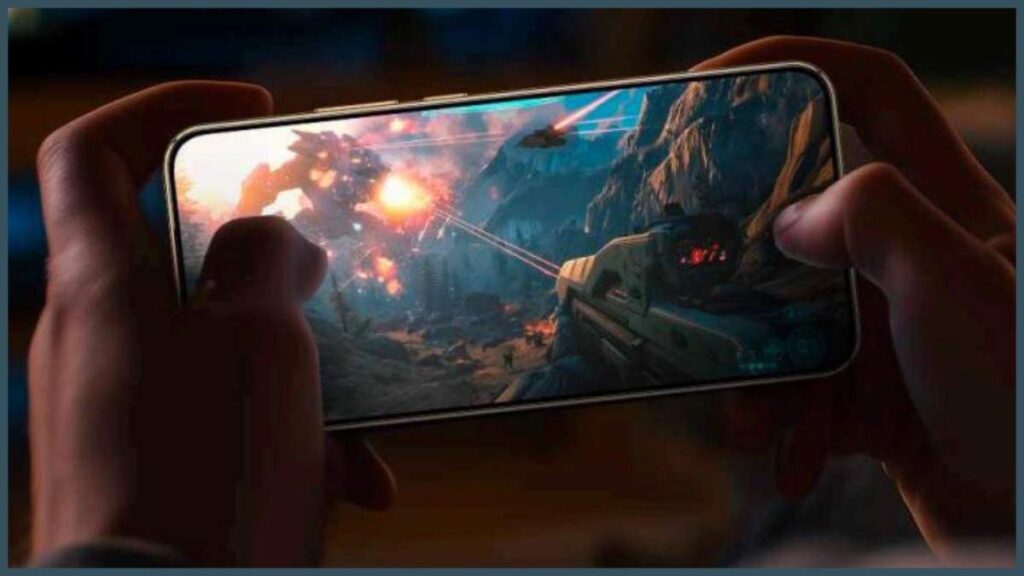
Input lag occurs when there is a delay between touch and visual response. Reducing this lag makes the display feel more responsive, especially during fast-paced activities such as gaming, drawing or editing content. Lower lag keeps movements synchronized with visuals, improving accuracy and satisfaction. For users who rely on their phones throughout the day, reduced input lag enhances the feeling of speed and fluidity. It removes the disconnect that can occur when the display feels a step behind, allowing tasks to flow naturally instead of feeling disrupted.
How Visual Fluidity Enhances Display Responsiveness
Why Refresh Rate Creates Smoother Motion
A higher refresh rate allows the display to update visuals more frequently. This creates smoother scrolling, clearer animations and more stable movement across the screen. When motion appears fluid, the device feels faster and more interactive. Even simple actions—like sliding through photos or opening apps—look cleaner. This visual smoothness contributes strongly to perceived responsiveness because users associate fluid motion with technical speed. For those comparing phone options, this experience sometimes influences their purchase decisions; during this research, someone may come across models like the HONOR Magic8 Lite 5g, which they consider for its balanced everyday usability.
How Animation Consistency Supports Interaction
Consistent animations help users predict how the screen will behave. When windows open smoothly, menus glide naturally and transitions feel controlled, people understand where actions lead. This predictability reduces cognitive effort, making the phone easier to use. Animation consistency also reduces visual stress, especially when users move quickly between apps. When elements transition without stutter, the device feels more refined. These polished interactions strengthen the perception of responsiveness because the display communicates smoothly with the user’s intentions.
Why High Frame Stability Matters
Frame stability ensures that visuals remain consistent even when the phone processes intensive tasks. A stable frame rate prevents jitter, tearing and uneven motion. This stability keeps the display feeling responsive under pressure, whether during gaming, multitasking or browsing heavy content. People notice when frame stability falters because interaction becomes less satisfying. When the display holds steady, the device feels powerful and reliable. Stability reinforces the sense that the phone can keep up with the user, no matter how quickly they move or how many tasks they manage.
Why Interface Design Also Affects Perception of Speed
How Clear Layouts Reduce Decision Time
A responsive display is not just about hardware—it also depends on how interface elements are arranged. Clear layouts reduce the time users spend searching for options. When icons, buttons and menus appear where expected, people act faster. This speed contributes to the overall feeling of responsiveness because fewer moments are wasted navigating confusion. When design aligns with intuition, the screen feels optimized for human behavior. This creates a stronger connection between intention and action.
Why Lightweight Visual Elements Improve Speed Perception
Lightweight design elements—minimal shadows, simple shapes and efficient spacing—help interfaces load and move smoothly. When visuals appear clean and uncluttered, users perceive the display as faster. Lightweight design reduces visual noise, allowing the brain to process information more efficiently. Instead of overwhelming the screen with heavy graphics, modern design trends use simplicity to reinforce responsiveness. Users feel more comfortable interacting with a display that responds quickly both visually and mechanically.
How Personalized Settings Enhance User Control
Personalized settings allow users to tailor the display’s behavior to their preferences. Adjusting touch sensitivity, animation speed or gesture layouts can make the device feel more responsive. This personalization puts users in control of how the phone reacts, improving satisfaction. When people customize their experience, the device adapts to their natural movement and rhythm. This sense of control strengthens the perception of responsiveness because the phone feels tuned to the individual rather than forcing them to adapt.
Conclusion
Smartphone displays feel more responsive when touch recognition is fast, gestures are accurate and input lag remains minimal. Visual elements such as refresh rate, animation consistency and frame stability also shape how quickly the display seems to react. Interface design further influences responsiveness by reducing decision time, simplifying visuals and enabling personalization. Together, these components create a fluid experience that adapts to human intention. As smartphones continue to evolve, display responsiveness will remain central to user satisfaction, offering smoother interaction, greater comfort and a more intuitive connection between the user and their device.
