


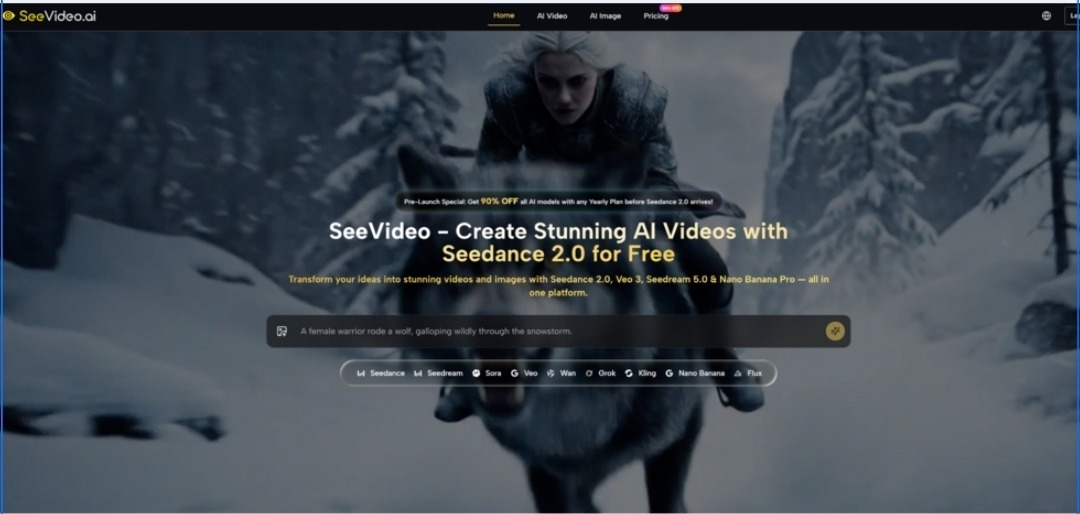
The current wave of AI video tools is exciting, but it can also feel fragmented. One model may look stronger for realism, another may handle storytelling better, and another may fit fast iteration more naturally. That is why platforms built around Seedance 2.0 are becoming easier to understand in practice: they are not only about making clips quickly, but about giving creators a clearer way to move from concept to visual output without constantly switching tools.
For many users, the real problem is not whether AI can generate motion. It is whether the workflow feels usable when deadlines are real, revisions are normal, and budgets still matter. In my observation, SeeVideo becomes interesting because it frames video generation less as a single-model experience and more as a workspace where different model strengths can be used with more intent. That changes the conversation from novelty to production logic.
Why A Unified Model Workspace Matters
Most creators do not work in a perfectly linear way. They test one idea, compare another, then decide whether the final result needs more realism, more cinematic structure, or simply a lower-cost draft version. A platform that gathers multiple video and image models in one place reduces that friction.
SeeVideo presents itself as a unified AI creation environment rather than a narrow single-purpose generator. On the video side, it brings together options such as Veo, Sora, Kling, Wan, and different Seedance versions. On the image side, it also includes generation models that can support visual development before motion is added. That combination matters because many video projects do not really begin with video. They begin with a still, a concept frame, a product image, or a rough visual direction.
Creative Decisions Improve When Models Stay Comparable
In a scattered workflow, users often lose time to platform switching. They move assets between tools, track credits across subscriptions, and judge outputs from memory instead of side-by-side comparison. A more integrated setup changes that rhythm.
In my testing of similar environments, one of the biggest gains is not only speed. It is decision quality. When several model options live inside one interface, it becomes easier to ask practical questions:
Which Model Fits The Intended Result Better
A fast draft model may be enough for a first pass. A higher-end model may be better reserved for the final version. That difference sounds obvious, but it becomes genuinely useful only when the platform makes the switch easy enough to act on.
Which Output Merits A Second Generation
Generative work usually improves through selective repetition. The better workflow is often not “generate once and accept,” but “generate, compare, refine, and then commit more resources.” A unified platform supports that habit more naturally.
How The Core Generation Workflow Actually Works
From the official flow shown on the site, the process is straightforward. It does not pretend to remove creative judgment, but it does reduce technical clutter.
Step One Select The Type Of Generation
Users begin by deciding what they want to create: video from text, video from an image, or image generation that may later support motion work. This first decision is important because it frames the whole task. Some projects begin as direct prompt-driven video creation, while others start from a still visual that already defines composition, product angle, character look, or mood.
Step Two Choose The Model For The Task
Seedance 2.0 AI Video then lets users choose among different models with different strengths. This is one of the clearest parts of the workflow. Some options appear better suited to faster drafts, some to more advanced narrative or scene construction, and some to high-end visual quality or additional control. The benefit is not that one model replaces every other model. The benefit is that the user can choose more deliberately.

Step Three Enter Prompts Or Add Reference Inputs
Once the model is selected, the user provides the creative direction. That may be a written prompt, or in some cases a reference image or more structured control method. The site also highlights features such as frame control and multiple reference images for certain models, which suggests a workflow that values controllability rather than pure randomness.
Step Four Review Save Download Or Remix
After generation, the output can be stored, downloaded, and in some cases remixed inside the platform. This part matters because generation is rarely the last step. Teams often need versions, alternates, or iterative edits. A workflow that acknowledges this feels more realistic than one that treats every generation as final.
What Makes The Platform Feel More Practical
A lot of AI tool pages promise speed, quality, and creative freedom. Those promises are common. What matters more is whether the platform structure supports how real users work.
Video And Image Creation Share One Logic
One practical advantage here is that still-image creation and video generation sit inside the same broader system. For product demos, social ads, concept art, and short promotional sequences, that can simplify the path from idea to delivery. A user can begin with a still visual direction, then extend it into motion without rebuilding the project logic from zero.
Different Models Support Different Production Stages
This is where the platform feels more mature. The official positioning makes room for both premium and faster-generation workflows. In my observation, that matters because many users do not need top-tier output at every moment. They need a fast way to test structure, pacing, framing, or style before investing more credits in a stronger run.
Drafting And Final Output Can Be Separated
That separation is useful. Early exploration benefits from lower cost and speed. Final delivery often benefits from better realism, stronger motion consistency, or more advanced controls. A platform that recognizes both stages tends to fit production reality more closely.
Commercial Use Feels More Central Than Casual Play
The site also emphasizes commercial rights, no watermark output, and cloud-based management. Those details suggest that the platform is not only trying to attract hobby users. It is also aiming at marketers, creators, product teams, and agencies that need assets they can actually use in client or brand work.
Where It Looks Strongest In Real Use
The strongest use cases are not necessarily the most dramatic ones. They are the ones where the workflow saves effort without reducing creative clarity.
Where Marketing Teams Gain Immediate Value
Marketing teams often need many variations of the same concept. A product may require a clean hero shot, a more lifestyle-focused image, and a short motion piece for paid campaigns. In that context, a multi-model workspace is useful because it supports exploration without forcing a total tool change every time the creative direction shifts.
Product Visualization Becomes More Flexible
For e-commerce or product storytelling, the value is clear. Teams can start with still visuals, adjust styling, then move toward motion output for demonstrations or ad creatives. That progression feels more efficient than building separate pipelines for images and video.
Short Form Content Benefits From Faster Iteration
Social content creation also benefits from model variety. Not every clip needs to feel like a film trailer. Sometimes the priority is simply to test three different angles quickly and decide which concept deserves polish. In those cases, faster generation paths can be more valuable than maximum technical ambition.
What Users Should Keep In Mind
No AI video platform fully removes the need for judgment. That is also true here.
Prompt Quality Still Shapes The Outcome
Better prompts still tend to produce better results. Even when the interface feels approachable, the final output depends on clarity of intent. Motion style, pacing, framing, and scene purpose still need to be thought through carefully.
Multiple Generations May Still Be Necessary
This is not a weakness unique to one platform. It is part of generative work more broadly. A first result may establish the idea, but a stronger result often appears after revision. Users expecting perfect one-shot control may feel some friction.
Credits Still Matter In Premium Workflows
The pricing structure also deserves attention. Some models are effectively positioned as unlimited under certain plans, while others remain credit-based. That means the smartest workflow is not only creative. It is operational. Users will likely get better value when they reserve premium generations for the stages that truly need them.
How Key Platform Differences Become Easier To See
The table below is useful not as a sales claim, but as a way to understand why the platform feels different from a basic single-model generator.
| Aspect | SeeVideo Workflow | Typical Single Model Workflow |
| Model choice | Multiple video and image models in one workspace | Usually one main model or limited options |
| Starting point | Text, image, and broader asset-based workflows | Often text-first only |
| Creative comparison | Easier to compare outputs across model types | Comparison usually requires switching tools |
| Iteration style | Draft and premium stages can be separated more clearly | Same model often used for every stage |
| Asset handling | Generation, storage, download, and remix are connected | Workflow may be more fragmented |
| Commercial readiness | Watermark-free output and commercial framing are emphasized | Varies widely by platform |
Why This Model Of Creation Feels Timely
The most interesting shift is not only that AI video is improving. It is that platforms are starting to organize creativity around workflow rather than pure novelty. That is a meaningful change. Users no longer only want a model that can generate motion. They want an environment that helps them decide when to sketch, when to refine, and when to deliver.
In that sense, SeeVideo feels less like a single magic button and more like a structured production layer on top of modern generative models. For creators who need flexibility more than hype, that may be the more useful story.
